 iPhone iPad Mac · on device
Stop hunting for the paragraph you already wrote.
Fingertips keeps the text, files and images you reuse one keystroke away. A palette on Mac, a window beside your work on iPad, a keyboard on iPhone.
Hi Ana,
Thanks for the call. I have put the retainer agreement and the brand guidelines together, and will send them over tomorrow morning.
One thing I still owe you is the guest Wi‑Fi for the studio. I will bring a card on the day.
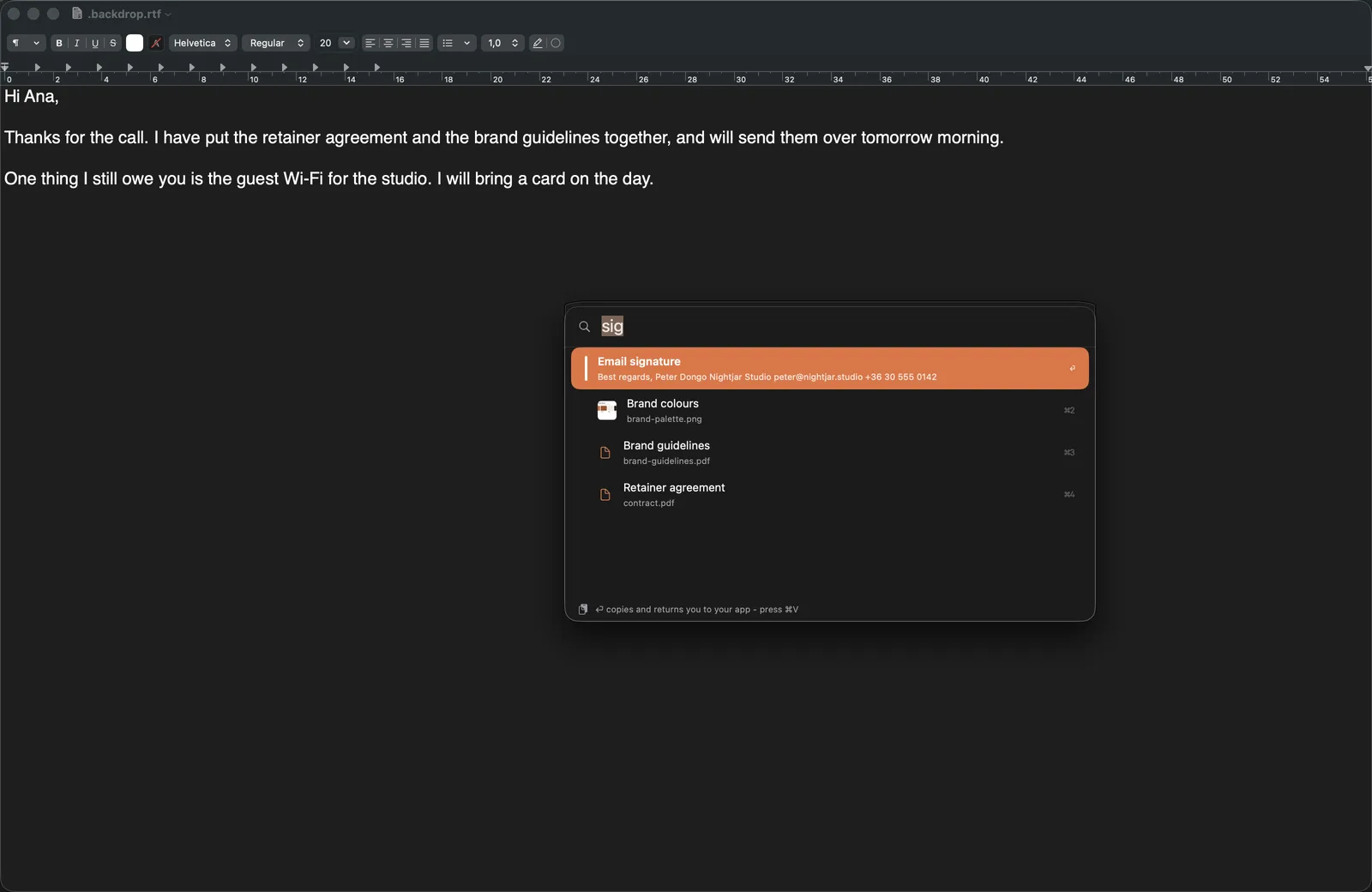
Fingertips lives in the menu bar
Press ⌥Space in any app, type two letters, press Return. The snippet is copied and you are back where you were typing, ready for ⌘V.
Nothing to grant and no permission asked for. Fingertips never sends a keystroke to another app.
Three platforms, three correct shapes.
The same library, reached the fastest way each platform actually allows. Not one layout stretched across three screens.
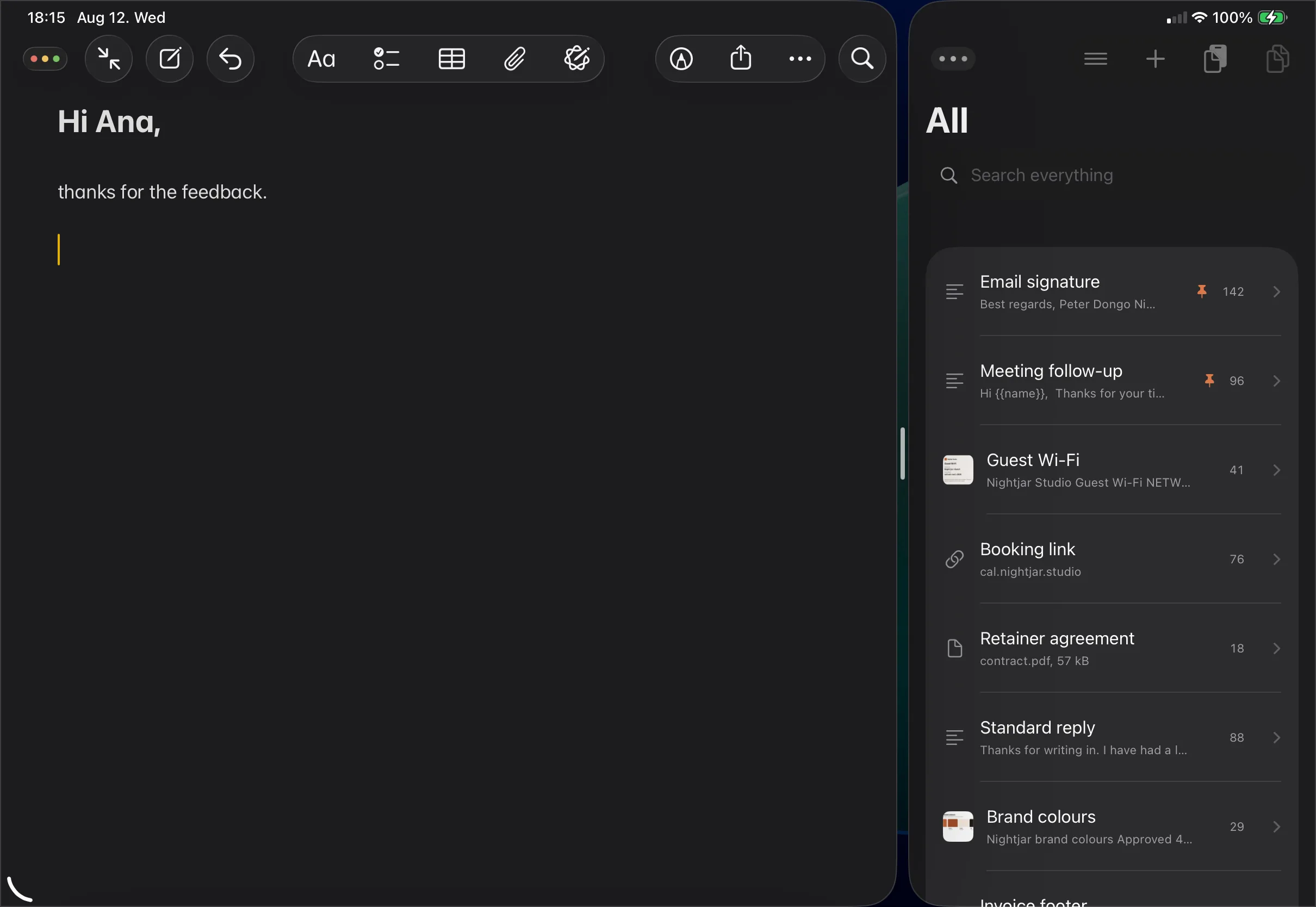
A narrow window beside what you are writing
It opens with the caret already in the search field. ⌘Tab across, three letters, Return, ⌘Tab back. Both windows stay on screen, so nothing you were reading goes away.
- Drag a snippet straight out into the page
- The only route that carries a file or an image
- Full keyboard control, no setup at all
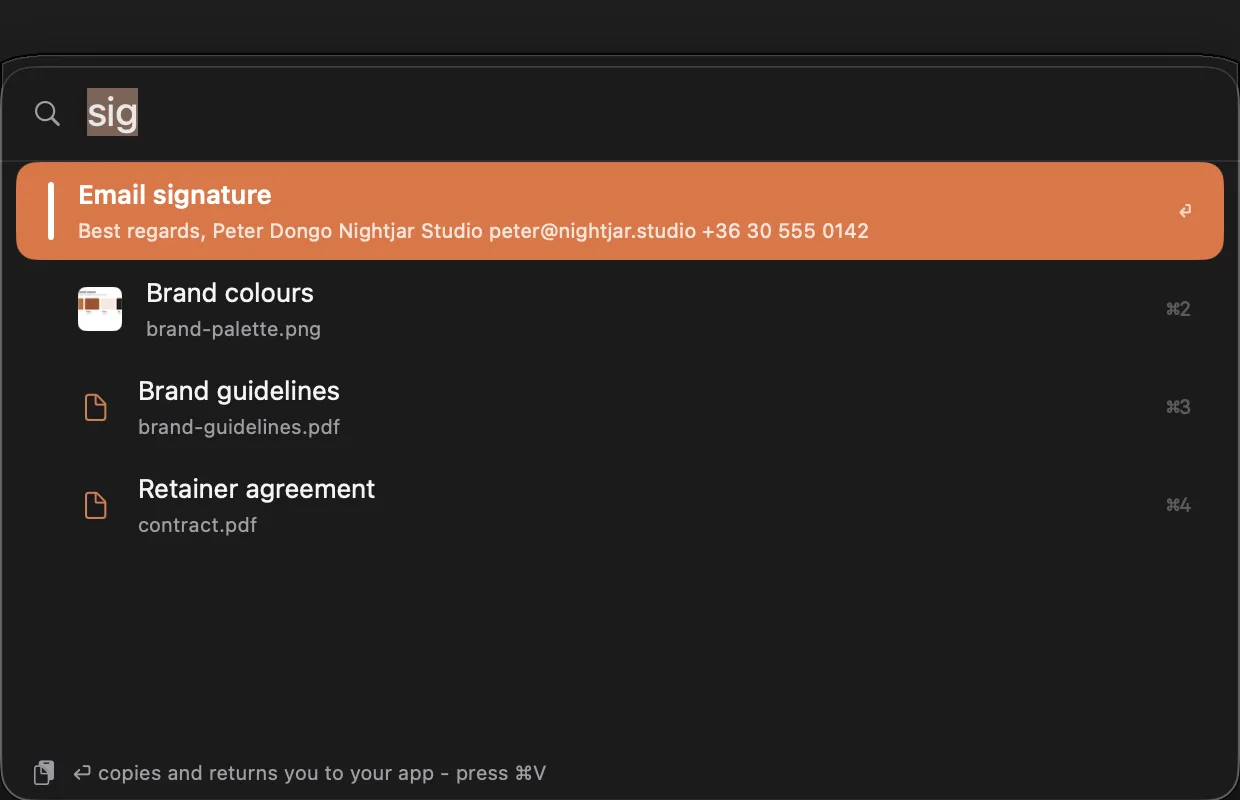
A palette over everything else
A menu bar app with a global hotkey, which is the right shape for a thing you summon and dismiss. Results are ranked before you finish typing.
A keyboard inside any app
Your library in the space a keyboard already occupies, in any text field you can reach. Search, shelves, and one key that inserts.
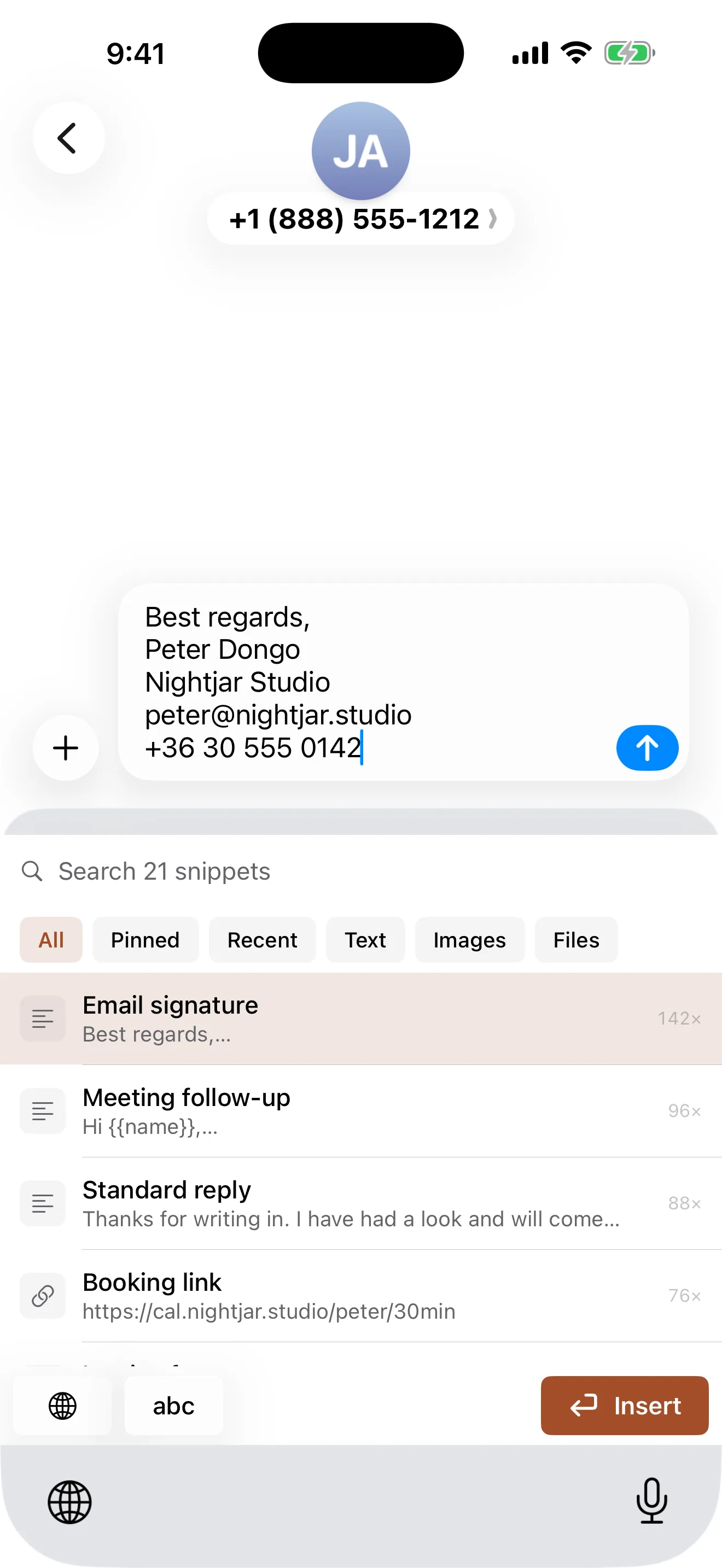
Ranked by what you actually reuse.
Not just what you touched last. Folders and tags when you want them, smart shelves when you do not: Pinned, Most Used, Recent, and one per kind.
Search reads keywords, titles, contents, and the text inside your images. Every surface reads the same index, so the keyboard, the palette, Spotlight and Shortcuts can never rank a query differently.
- folders
- one level, and a snippet lives in one
- tags
- as many as you like, applied in bulk
- shelves
- built from what you do, not maintained
- trash
- 30 days, with the days left on the row
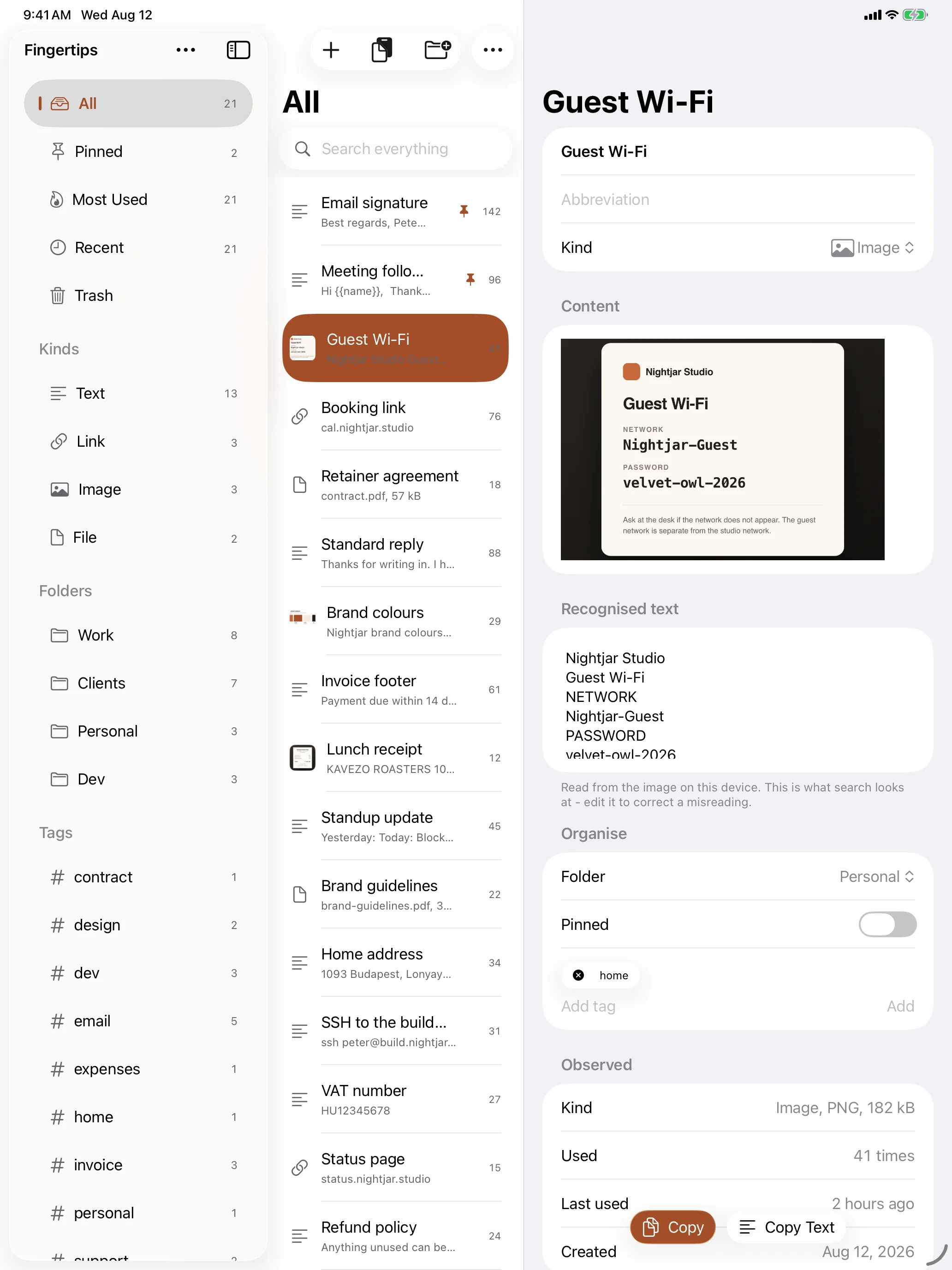
Retrieval is the product, so the read path never waits.
The speed budgets are written into the code and printed on every launch, so a regression fails the day it lands rather than the week before release.
Search keys are lowercased and precomputed when you save, not when you search.
A keyboard extension runs under a hard memory cap, so it reads a flat cache rather than a database.
There is no server to ask. Nothing about finding a snippet needs a connection, ever.
Everything clever happens on your machine.
Not because it is a nicer story, but because the alternative is sending the things you reuse most to somebody else's computer.
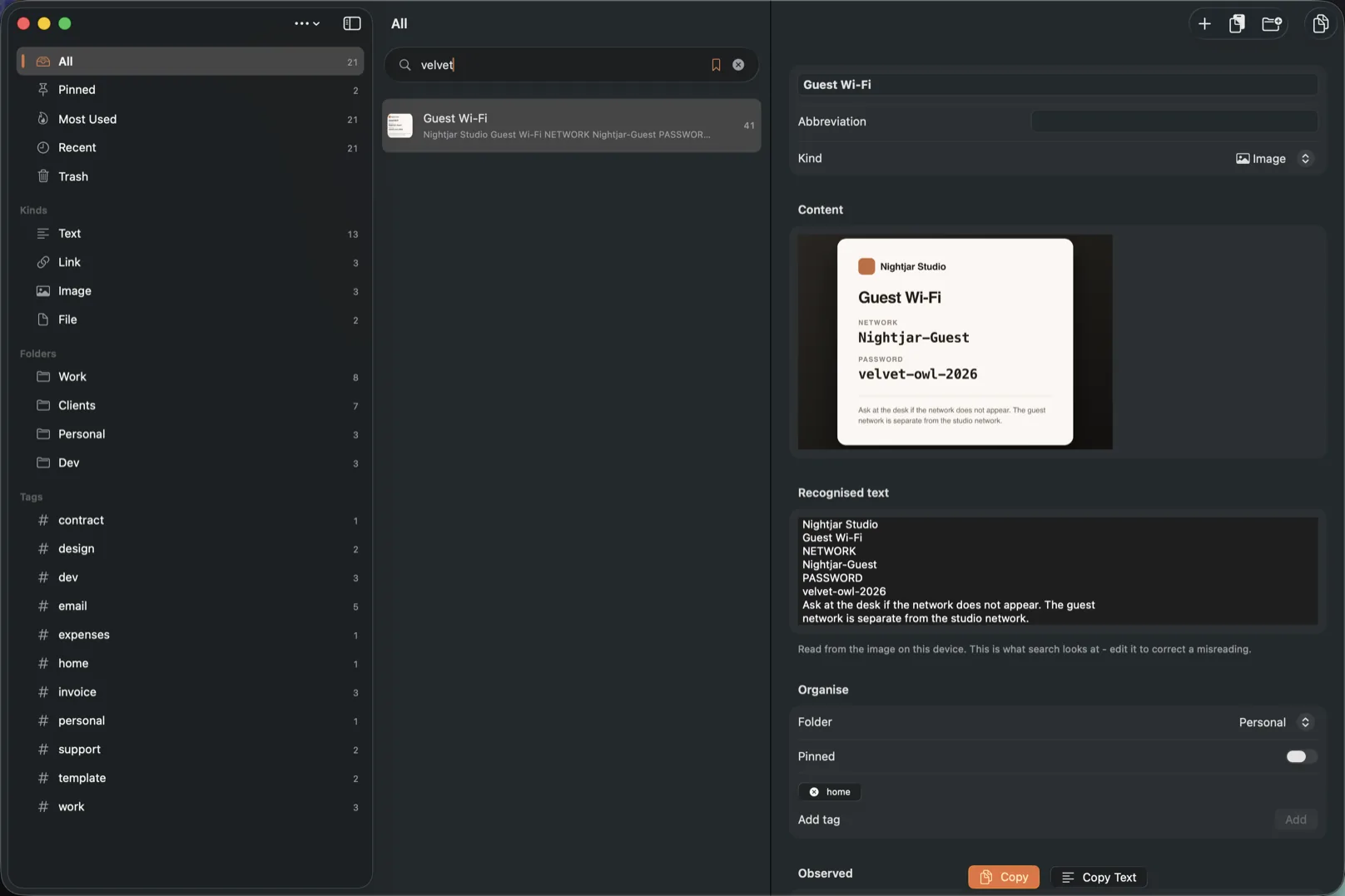
Find a screenshot by the words inside it
Save a picture of a Wi‑Fi card and search for the network name. The text only ever existed inside the image, and it was read on your device the moment you saved it.
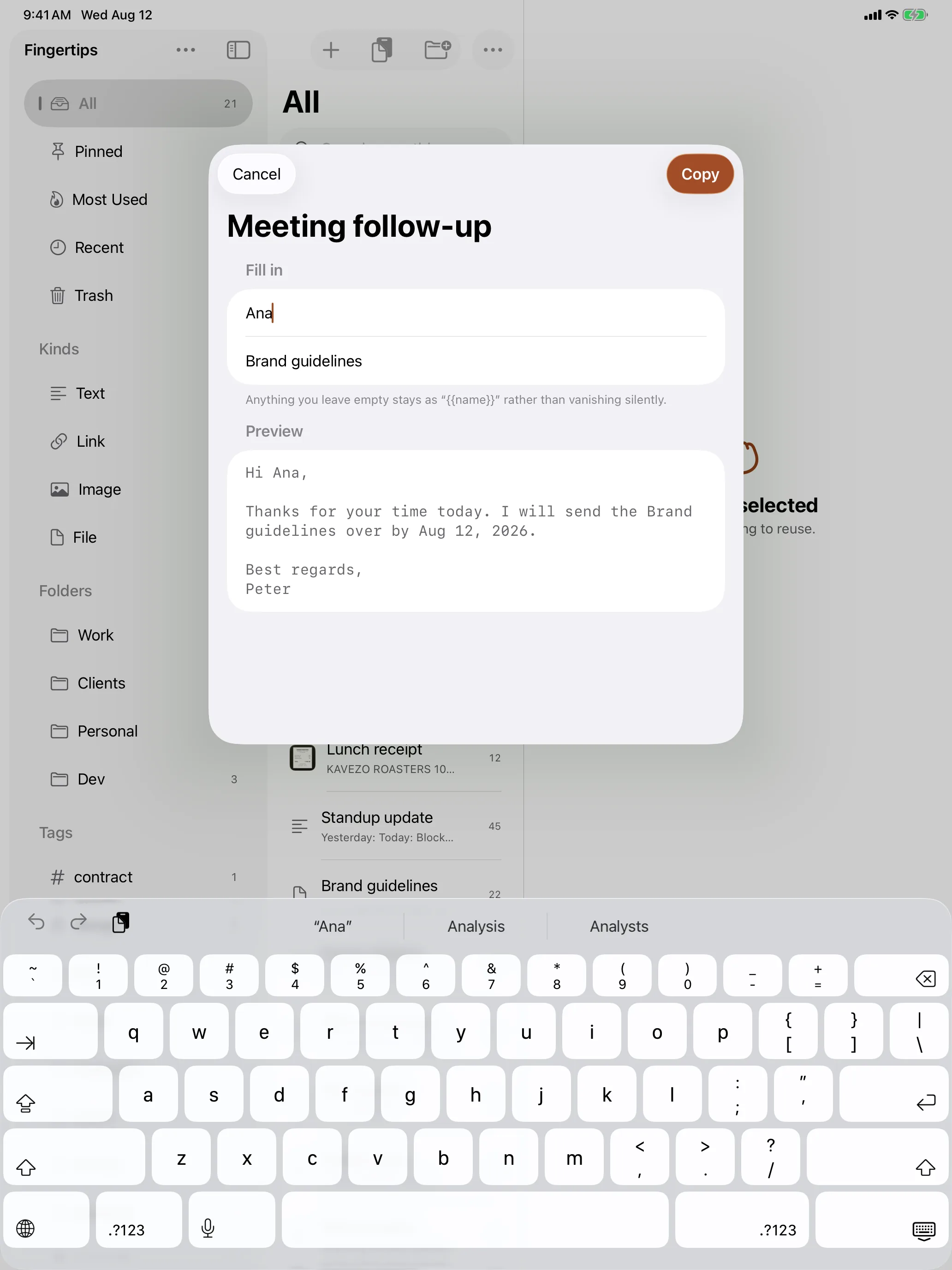
Stored text, or an actual template
A snippet holding {{date}}, {{clipboard}} or a named blank the app asks you for as you paste. That is the difference between storage and reuse.
Links, emails and phone numbers become actions
Addresses, phone numbers, emails and dates are recognised with no model, no permission and no connection.
Names things for you, optionally
Apple Intelligence turns a wall of text into a short title where it is available, and a deterministic title where it is not. Nothing requires it.
Saves the same thing once
Duplicates are matched on a hash of the content, so renaming a snippet does not defeat it and your library stops growing sideways.
Scriptable, not a walled garden.
Fingertips is built on App Intents, so its snippets are real things other actions can take. The search action hands back a snippet, and whatever comes next in your Shortcut receives it - copy it, show it, send it somewhere else entirely.
Seven ready-made Shortcuts are free to download. No account, nothing to enable, and you can pull any of them apart to see how it works.
Best stated as a list of absences.
Sync goes through your own private iCloud database, using the Apple Account already on your device. Sign out and everything simply stays on the one machine.
Why the keyboard asks for Full Access
A keyboard extension is sandboxed away from everything, including your own Fingertips library. Full Access is the switch that lets it read the cache sitting on your device. That is the entire reason it is asked for.
The keyboard contains no networking code at all. There is no address for anything to be sent to, which is a stronger guarantee than a promise not to send it.
It never logs, stores or transmits what you type. It reads your library, and it writes the one snippet you chose.
Three things I would rather tell you than have you find.
Two of these are platform behaviour rather than decisions, and the third is App Review's.
On the Mac, Return copies. It does not paste for you
⌥Space, type, Return: the snippet is on your clipboard and you are already back in the app you came from, so ⌘V lands in the right place. Fingertips used to send that keystroke itself, and App Review asked for it to go, because the permission macOS gates it behind is meant for accessibility software. The palette footer says exactly this.
On iPad with a hardware keyboard, the custom keyboard is not reachable
iPadOS suppresses the on‑screen keyboard entirely when one is attached, and third party keyboards are not in the input source cycle at all. That is the platform, not the app. It is also why the side window exists, and why it is the fast path on iPad rather than an afterthought.
Summaries only work in the languages Apple's model supports
Drop a PDF and its text is read, tagged, titled and made searchable, all of which is language independent. The one sentence summary is not. Fingertips checks the language first and says so, rather than showing you an empty space or sending your document somewhere to be described.
The six that actually get asked.
Anything else, write to support@usefingertips.com and a person answers.
Is it a subscription?+
No. One purchase, then it is yours. There is a 14 day trial with nothing feature gated in it, so you use the whole app and then decide. One purchase covers iPhone, iPad and Mac.
Where does my library actually live?+
On your device, and in your own private iCloud database if you are signed in to iCloud. There is no account with me and no server of mine in the path. Sign out of iCloud and it keeps working on that one device.
Does the keyboard read what I type?+
It never logs, stores or transmits anything you type, and it could not send it anywhere if it wanted to, because it contains no networking code. Typing on its letter keys goes straight to the app you are in, as with any keyboard. Full Access is what lets the extension read your own library out of a cache on your device. It reads that, and it writes the one snippet you picked.
Does it work offline?+
Entirely. Reading text out of images, recognising links and dates, naming and searching all run on the device. The only thing that needs a connection is the purchase itself, and syncing between your own devices.
What happens when the trial ends?+
The app says so, once, and asks. Nothing is deleted: your library stays on your device, and Export Everything is on that screen, so all of it comes out as one file - text, images, files, tags and all - whether you decide to buy or not. Opening the library in the app again is what the purchase is for. Reinstalling does not hand you a fresh fortnight either, because the trial is anchored to your original purchase date rather than to the install.
Can I get a refund?+
Through Apple, the same way as any other App Store purchase. That is also why the trial is 14 days rather than three: you should not need the refund to find out.
Buy it once. Nothing renews, nothing expires.
Requires iOS, iPadOS or macOS 26. Works fully offline. The only things that need the network are the purchase and iCloud sync between your own devices.